

Instagram Business chat shows up when you open a DM, and the account on one side is a business. That’s it. There is no hidden feature, no special inbox, and no separate chat system.
Instagram adds this label to make things clear for users. When someone messages a brand, store, or service page, Instagram wants people to know they are not chatting with a private individual.
Most users notice this label without any context. That’s why so many people search for what business chat is on Instagram or why Instagram says business chat in DMs.
What Is a Business Chat on Instagram
A business chat on Instagram is a normal direct message thread where one account uses business settings. The messages work the same way as any other DM.
The only real difference is the type of account behind the conversation. When an account switches to business mode, all its messages are labeled as business chats.
This is why older conversations may suddenly show the business chat label. The account settings changed, not the chat itself.
Business Chat Instagram Meaning in Simple Terms
The business chat on Instagram’s meaning is about transparency. Instagram wants users to know when a conversation involves a business.
This matters because business accounts may reply using Teams, tools, or saved responses. The label sets expectations before the conversation goes further.
It also helps users decide what details they are comfortable sharing. People behave differently when they know they are talking to a company.
What Does Business Chat Mean on Instagram for Users
For users, business chat means the account represents a business presence. It could be a local shop, online store, service provider, or creator page.
It does not mean the chat is public. It does not mean the messages are monitored by others automatically.
The label is simply informational. It exists so users are not guessing who they are talking to.
What Are Business Chats on Instagram Used For
Business chats on Instagram are mostly used for practical reasons. Customers ask about prices, availability, delivery timelines, or service details.
Many businesses also handle bookings and basic support through Instagram DMs. This is common for small businesses that do not use email support.
Some brands also use business chat to follow up on product questions or confirm details after a purchase inquiry.
Why Does It Say Business Chat on Instagram
Why does it say business chat on Instagram comes down to account settings. Instagram adds the label when an account is set as a business or professional account.
The label appears at the top of the conversation and stays there. Users cannot remove it from their side. The only way it disappears is if the account switches back to a personal profile.
Why Does It Say Business Chat on Instagram DMs
People often ask why it says business chat on Instagram DMs even in casual conversations. The reason is simple.
Instagram does not judge the message content. It only checks the account type. If one side is a business account, the chat gets labeled.
This applies to both new and old message threads.
Instagram Business Chat vs Personal Chat
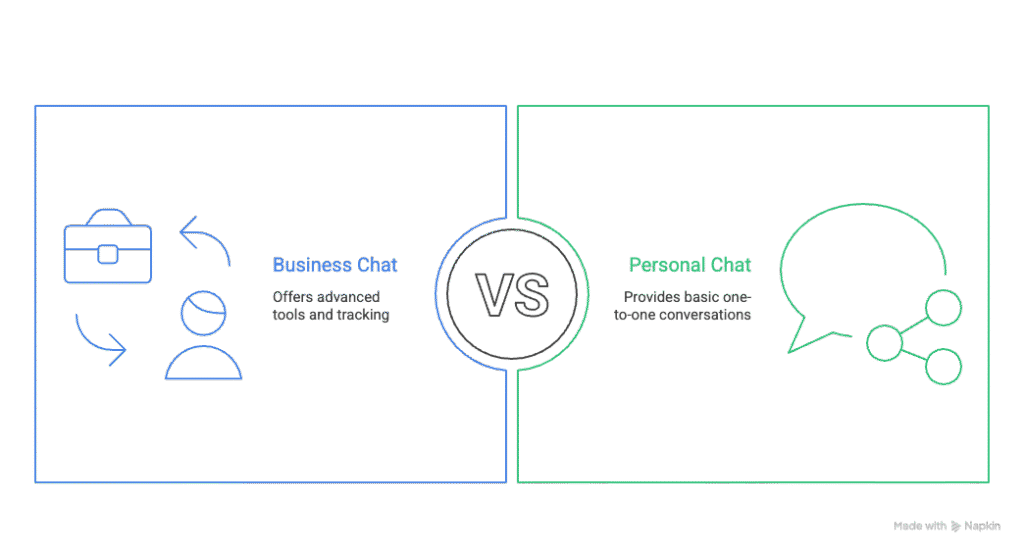
Instagram business chat and personal chat look almost the same. Most users would not notice a difference without the label.
Behind the scenes, business chats allow access to reply tools, message sorting, and basic message tracking.
Personal chats do not offer these options. They are just one-to-one conversations between private users.
What Is Instagram Business Chat for Businesses
For businesses, Instagram business chat acts as a customer communication channel. It helps manage incoming messages in one place.
Businesses can use saved replies to answer common questions faster. Some also connect chats to inbox tools used by small teams.
This setup helps businesses respond without losing track of conversations.
Is Instagram Business Chat Private
Whether Instagram business chat is private is one of the most common concerns. The answer is yes, the messages are private.
Only the user and the business account can see the conversation. Instagram does not make these chats visible to others.
However, businesses may allow multiple team members to access messages using shared inbox tools.
Who Can Read Business Chat Messages
Business chat messages are visible to the account owner and anyone they authorize. This may include employees or support staff.
Instagram itself does not display business chats publicly or allow other users to read them.
From a privacy standpoint, business chats work the same way as standard Instagram DMs.
Why Does Instagram Say Business Chat at All
Instagram uses the business chat label to reduce confusion. Many users assume every DM is personal unless told otherwise.
The label makes it clear when a conversation involves commercial activity or brand communication.
This also helps Instagram apply different rules to business messaging without confusing users.
How to Make Business Chat on Instagram
How to make a business chat on Instagram starts by switching your account type. There is no separate feature to turn on.
Once an account becomes a business account, Instagram automatically applies the business chat label to all DMs.
You do not need to update settings for individual conversations.
Steps to Enable Business Chat on Instagram
To enable business chat, go to Instagram settings and choose the option to switch to a business account.
Select a category that matches your activity. Complete the setup steps shown by Instagram. After this, your direct messages will show the business chat label automatically.
- Open Instagram and go to your profile
- Tap the menu (☰) in the top right corner
- Go to Settings → Account
- Tap “Switch to Professional Account”
What Is a Business Chat on Instagram for Customers
For customers, a business chat on Instagram signals that replies may not come instantly or from a single person.
It also suggests the chat may include support, order help, or service details.
This small label helps users understand the context of the conversation before engaging further.
How Businesses Actually Use Instagram Business Chat
Most businesses do not use Instagram business chat in a fancy way. They use it because customers message them first.
People ask simple questions. Price. Availability. Location. Timing. Businesses reply because that is where the customer already is.
For small businesses, Instagram business chat often replaces email. It feels faster and more personal, even though it is still business communication.
Many service providers also use it to confirm bookings or answer quick questions before a call.
What Customers Experience in a Business Chat
From a customer’s point of view, a business chat feels almost the same as any other DM. The main difference is the label at the top.
That label sets expectations. Customers know replies may take time and may come from different people.
Some customers feel more comfortable asking direct questions when they know they are speaking with a business account.
Others simply want confirmation that the account is real and active.
Is Instagram Business Chat Safe to Use
Instagram business chat is as safe as regular Instagram messaging. Messages are not public and do not appear on profiles.
Users should still be careful with sensitive details. Businesses may have more than one person managing messages.
Sharing payment details or personal data inside DMs is never a good idea, business chat or not. Instagram does not guarantee responses or protect against poor business behavior.
Why Does Instagram Push Business Chat So Hard
Instagram wants businesses to stay on the platform. Messaging keeps users active and engaged without leaving the app.
Business chat helps Instagram separate personal use from commercial use. This helps with rules, limits, and future features.
It also gives Instagram a clear signal about which accounts sell, promote, or support customers. That clarity benefits both users and the platform.
Common Confusion Around Business Chat on Instagram
Many users think business chat means ads or tracking. That is not how it works. The label does not mean your messages are promoted or shared. It only reflects the account type.
Others think business chat is optional. It is not. If the account is a business account, the label appears. This confusion comes from Instagram not explaining the feature clearly inside the app.
How to Turn Off Business Chat on Instagram
How to turn off business chat on Instagram is a common search, especially for creators and small sellers.
You cannot turn off the label directly. There is no toggle for business chat alone. The only way to remove it is to switch your account back to a personal account. Once you do that, all DMs return to standard personal chats.
When Switching Off Business Chat Makes Sense
Some creators switch back to personal accounts because they want more casual conversations. Others do not want the business label affecting how people message them.
However, switching off business chat also removes access to insights and tools. It is a tradeoff, not a simple fix.
What Happens After Turning Off Business Chat
After switching to a personal account, the business chat label disappears from all conversations. Old chats update automatically. There is no delay.
You also lose business features like analytics and reply tools. Messages still work, but the account feels more personal again.
Pros of Using Business Chat on Instagram
Business chat makes it clear who you are. That alone builds trust with many users.
It also helps manage high message volume using basic tools.
Customers know they are talking to an official account, not a random profile.
For support and sales, that clarity matters.
Cons of Business Chat on Instagram
Some users hesitate to message accounts labeled as business chats.
Replies may feel less personal when teams handle messages.
The label can make casual conversations feel formal.
These downsides depend on how the business communicates.
Best Practices for Using Business Chat Well
Reply like a human, not a script. Even short replies can feel warm and clear.
Be honest about response time. Do not promise instant replies if that is not realistic.
Keep answers simple. Most users want quick clarity, not long explanations.
Respect boundaries. Do not push sales when users ask general questions.
Why Some Users Prefer Business Chat
Many users like knowing they are messaging a real business.
It feels safer than guessing whether an account is legitimate.
For orders and services, business chat feels more reliable.
The label removes uncertainty before money or time is involved.
What’s a Business Chat on Instagram in Plain Words
What’s a business chat on Instagram comes down to one thing. It is a DM with a business account.
No new app. No special inbox. No hidden feature. Just a label that tells users what kind of account they are chatting with. Everything else works the same way.
Why Business Chat Matters for Small Businesses
Small businesses often rely on Instagram as their main contact point. Business chat helps organize conversations and set expectations. It also shows customers the business takes communication seriously. That matters more than fancy features.
Final Thoughts
Business chat on Instagram is simple, even if Instagram does not explain it well. It exists to show when a conversation involves a business account. For users, it adds clarity. For businesses, it adds structure. Used well, it helps both sides communicate without confusion.
Frequently Asked Questions About Business Chat on Instagram
What is business chat on Instagram?
Business chat on Instagram is a direct message conversation where one account is set as a business account. Instagram labels the chat so users know they are messaging a business, not a private individual.
What is a business chat on Instagram used for?
A business chat on Instagram is used for customer questions, product details, order help, and service inquiries. Many small businesses use it as their main support and contact channel.
Is Instagram business chat private?
Yes, Instagram business chat is private between the user and the business account. Messages are not public, searchable, or visible to other Instagram users.
Can businesses read all Instagram business chats?
Businesses can read messages sent directly to their account. If they use shared inbox tools, team members may also access those chats.
Why does Instagram say business chat instead of normal chat?
Instagram says business chat makes communication clear and transparent. It helps users know when they are speaking with a company, brand, or service provider.
How to make a business chat on Instagram?
To make a business chat on Instagram, switch your account to a business account in settings. Once switched, all your direct messages automatically become business chats.
How to turn off business chat on Instagram?
You cannot turn off business chat alone. To remove it, you must switch your account back to a personal account.
Does business chat affect message delivery or visibility?
No, business chat does not affect message delivery or visibility. Messages are sent, received, and notified the same way as personal chats.
Why do some people avoid business chat on Instagram?
Some users feel business chats sound less personal. Others worry replies may come from teams instead of one person.
Is business chat mandatory for business accounts?
Yes, business chat is automatic for business accounts. There is no option to hide or disable the label while staying a business account.